Role-Based Access Control (RBAC)

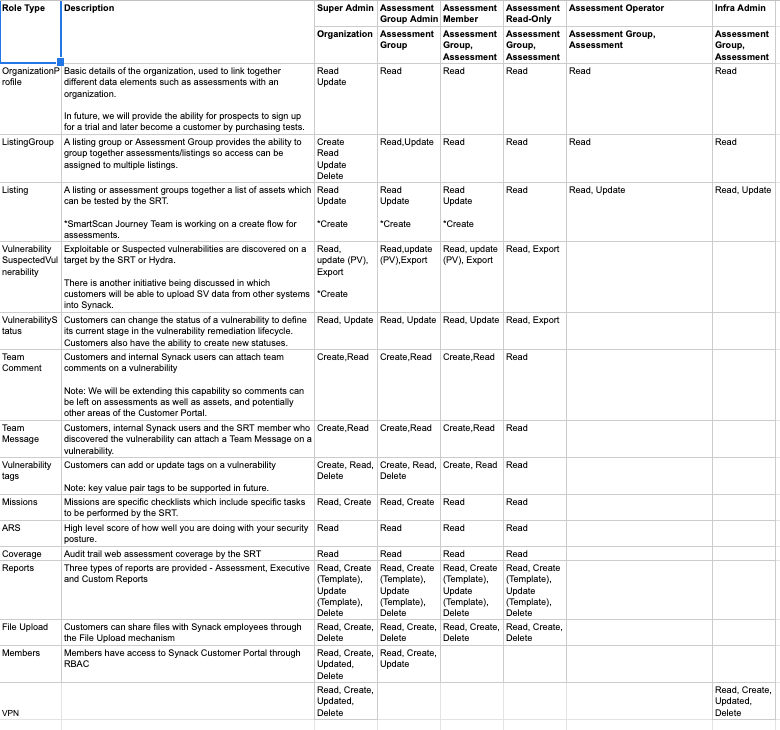
RBAC is a method of restricting access based on the roles of individual users within an enterprise. RBAC lets employees have access rights only to the information they need to do their jobs and prevents them from accessing information that doesn’t pertain to them.
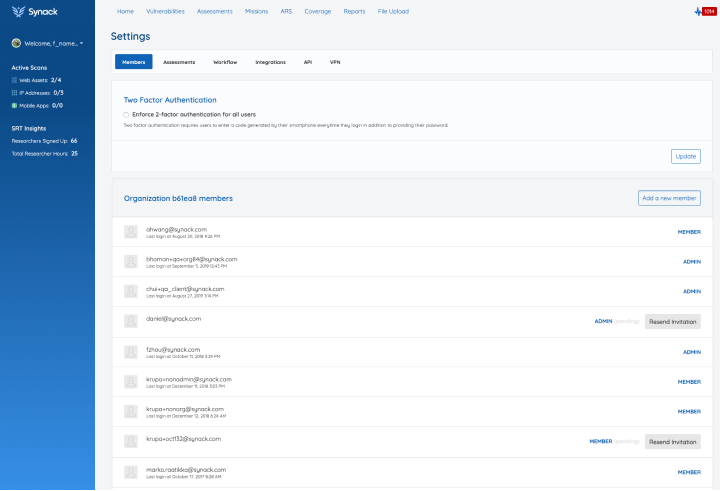
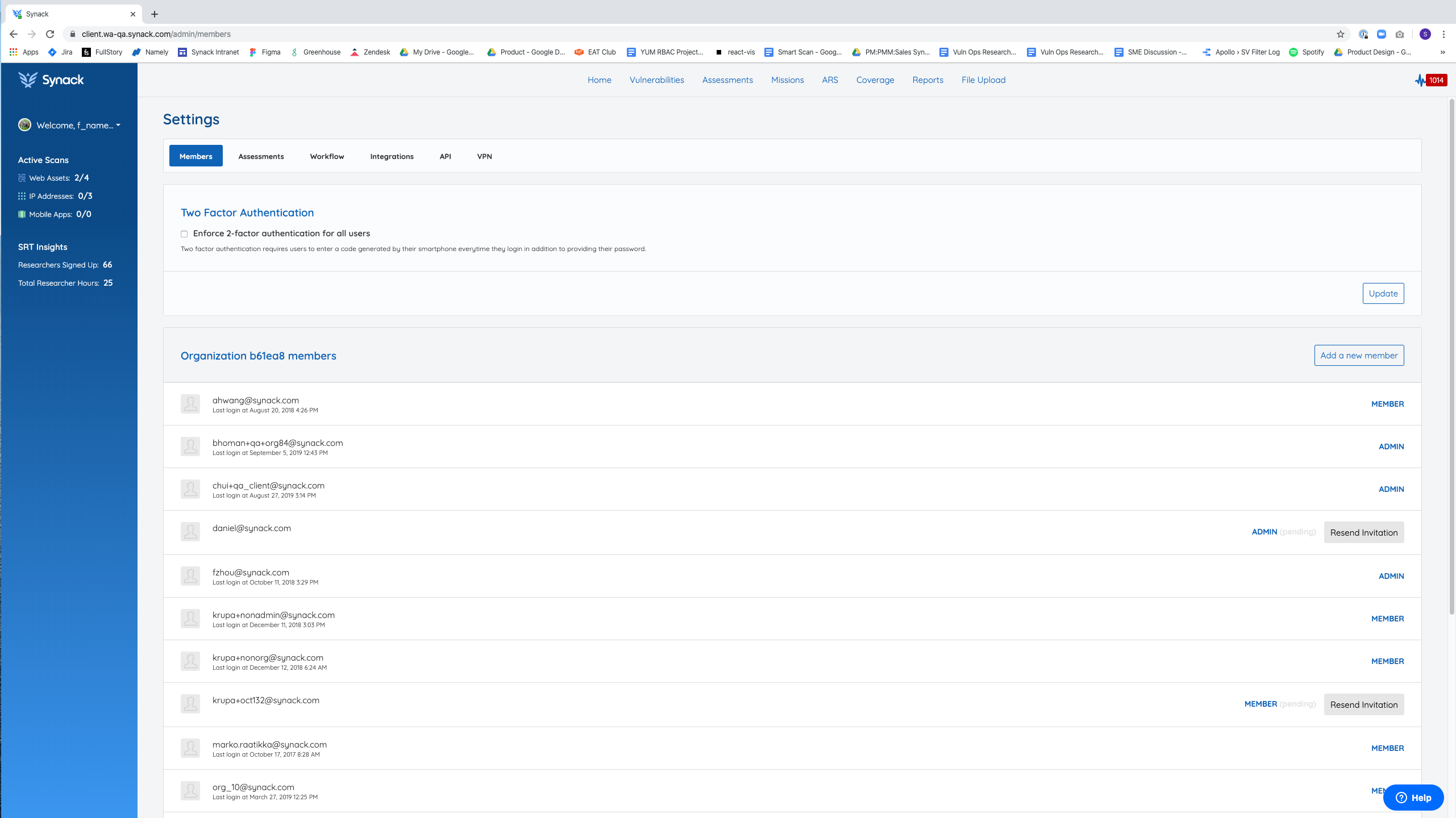
Prior to November 2020, the Client Portal for Synack only offered two types of roles for accessing the platform.

Role 1: Members

  • Can only see assessments that an admin has added them to.
  • Can Pause/Resume assessments
  • Can see dashboards, analytics, coverage, etc.

Role 2: Admins

  • Can add a new member
  • Make another member an ‘admin’
  • Assign assessments to members
  • Remove members
  • Has access to everything

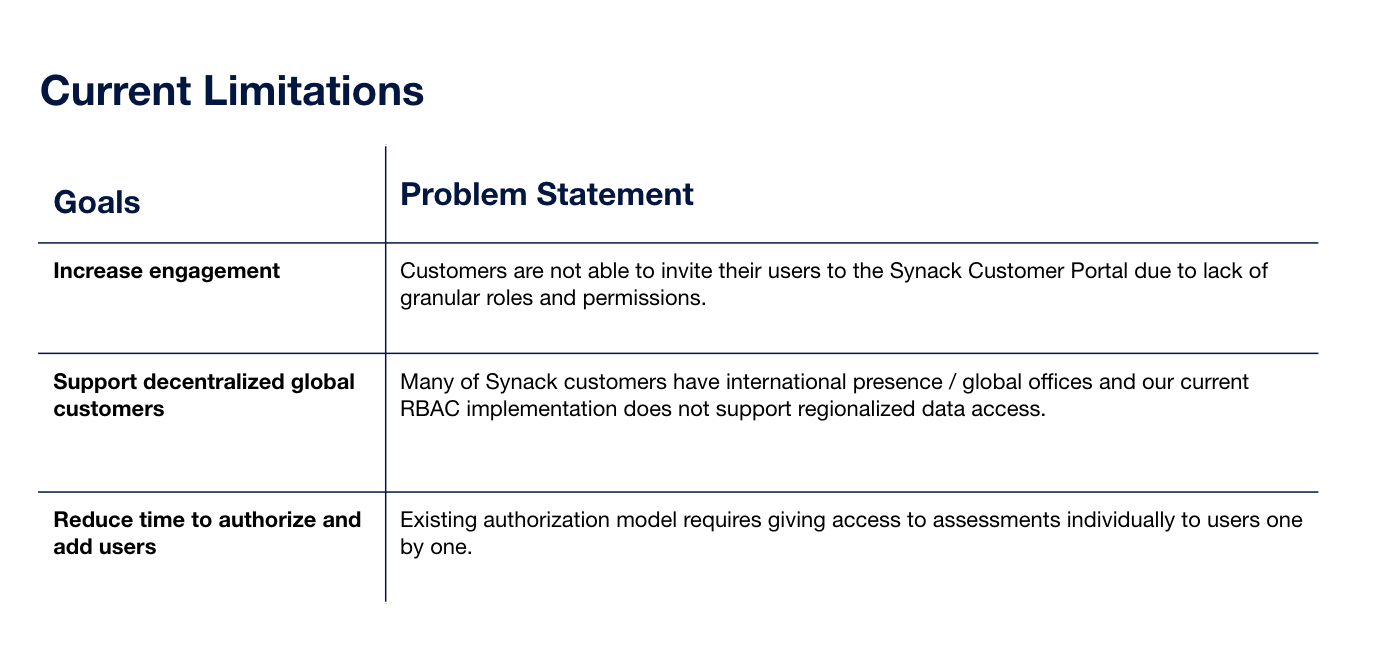
These roles did not offer the flexibility needed to meet the growing needs of Synack customers.


In addition to the functionality issues, there were also several usability issues that needed to be addressed.

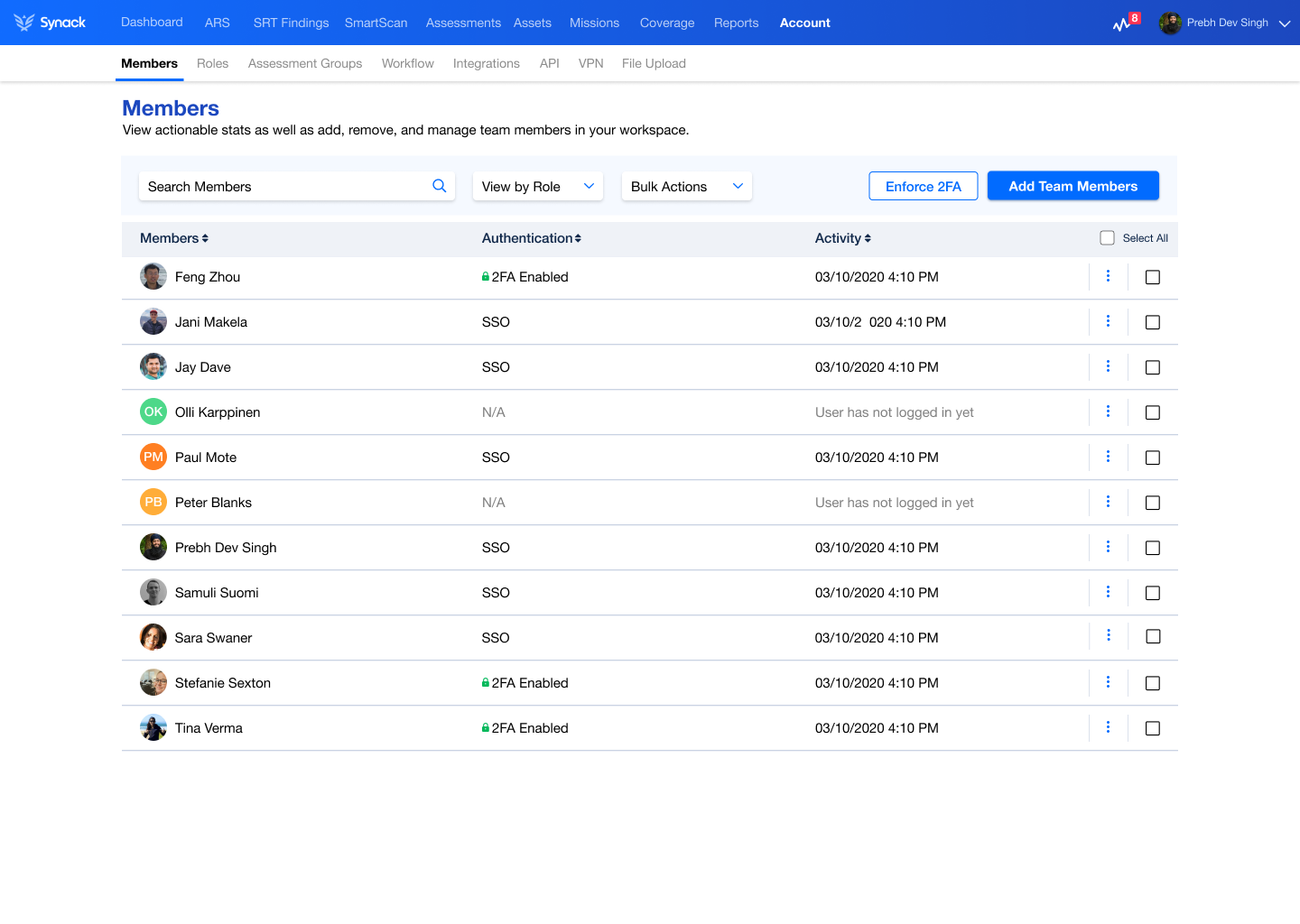
  • The current Members page didn’t offer the ability for our customers to search their list of members
  • No ability to filter the list
  • No ability to perform bulk actions such as delete members, remove access, invite in bulk
  • No ability to see who was utilizing SSO vs. 2FA
  • No ability to manage SSO configuration

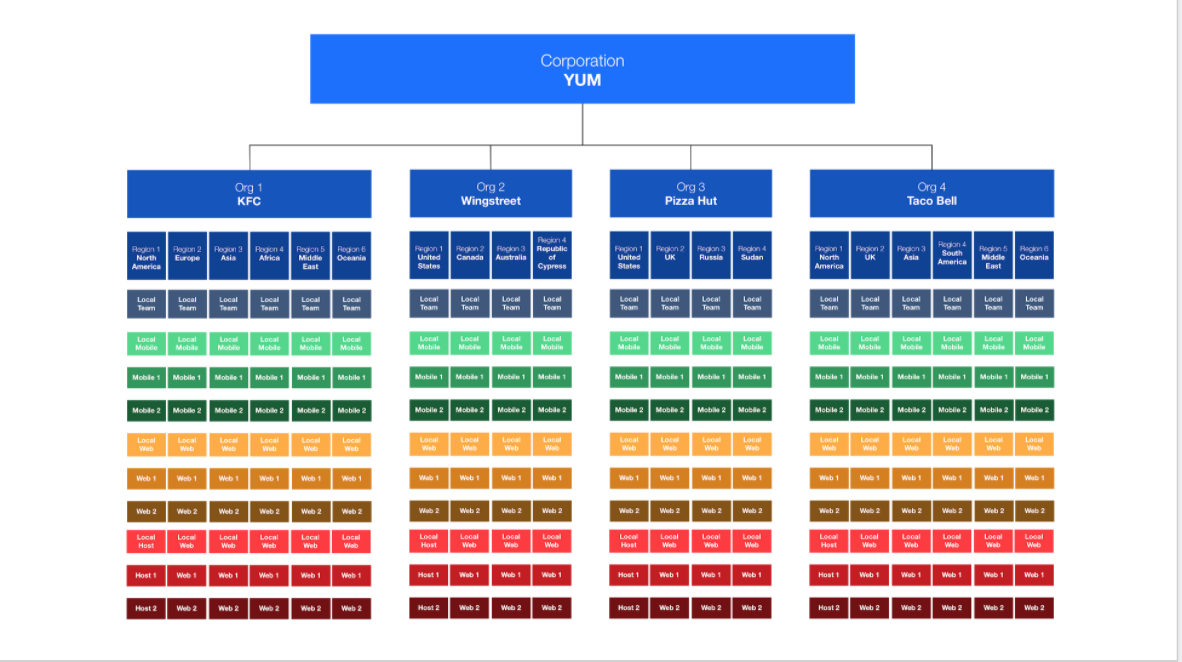
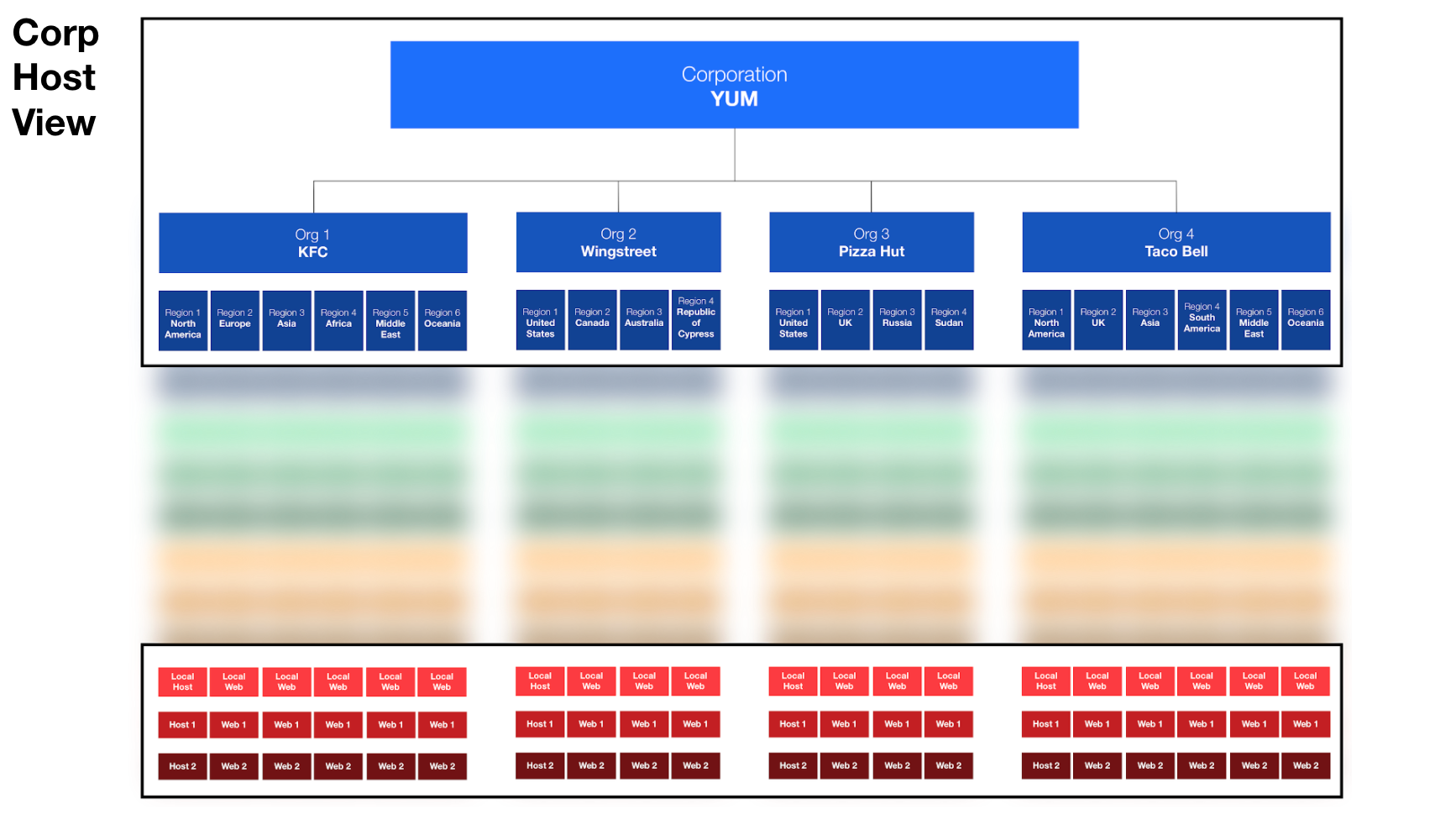
Our customers needed the ability to add members across their organization to our platform and control what slices of information they were able to see.

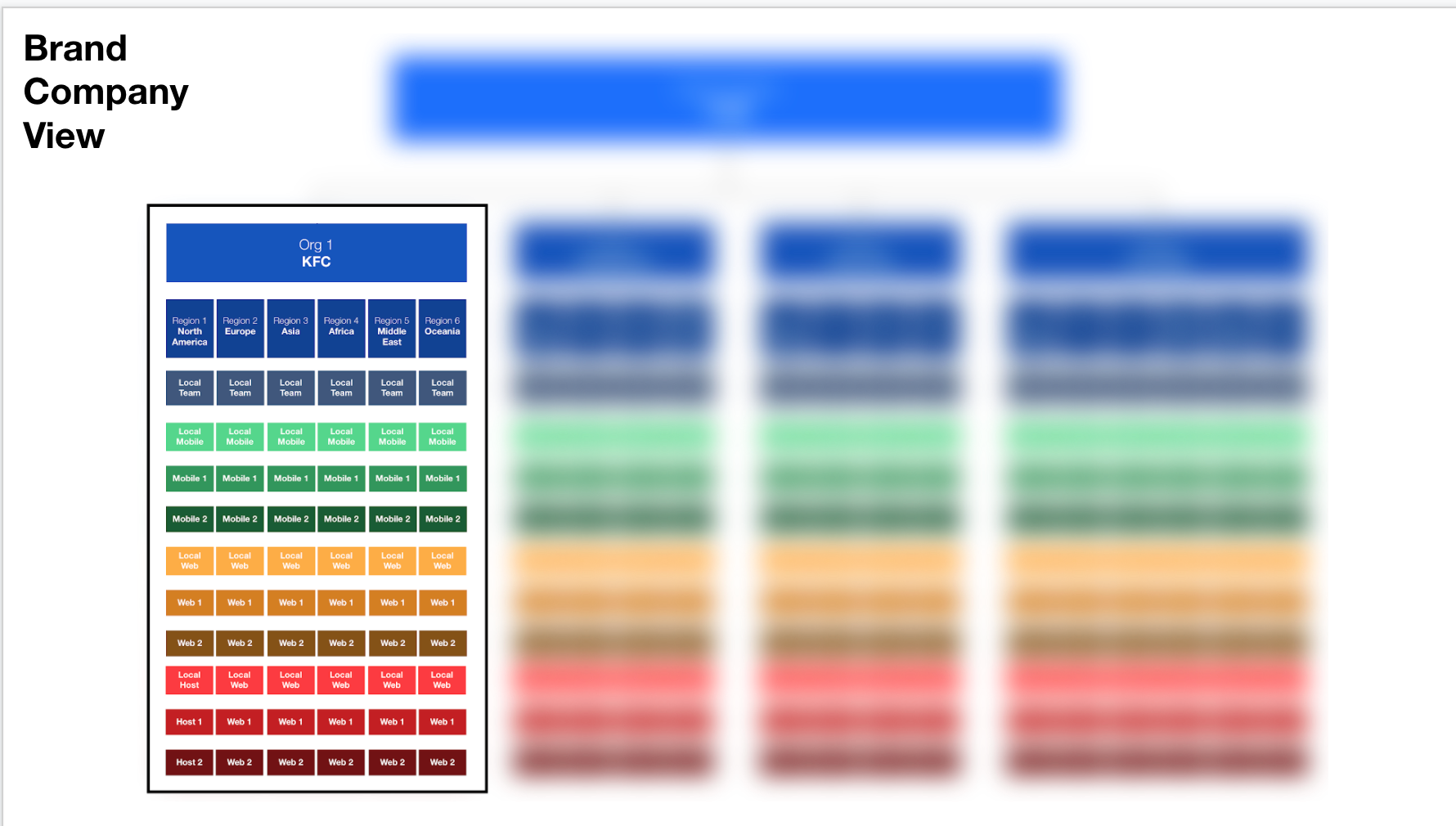
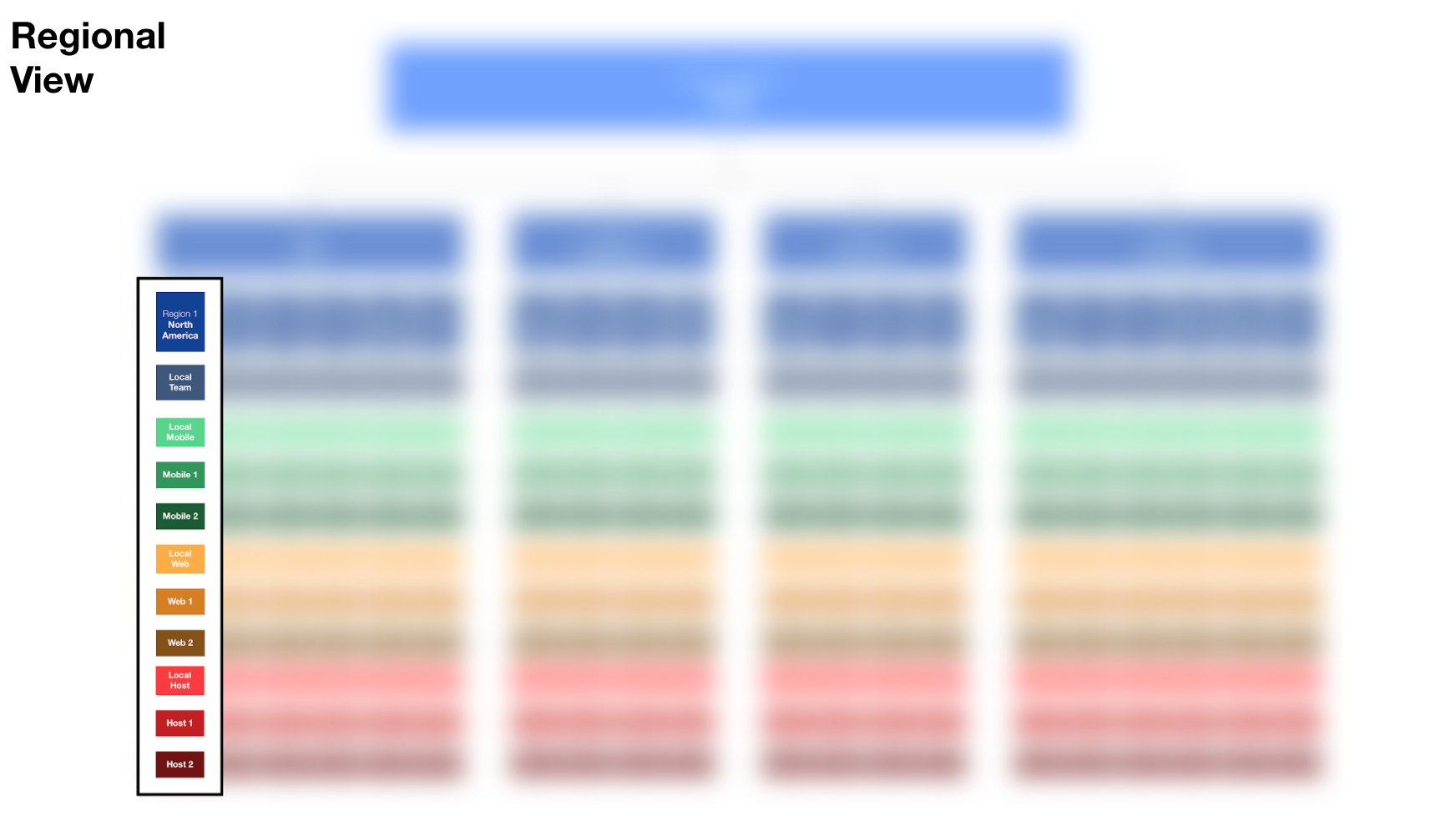
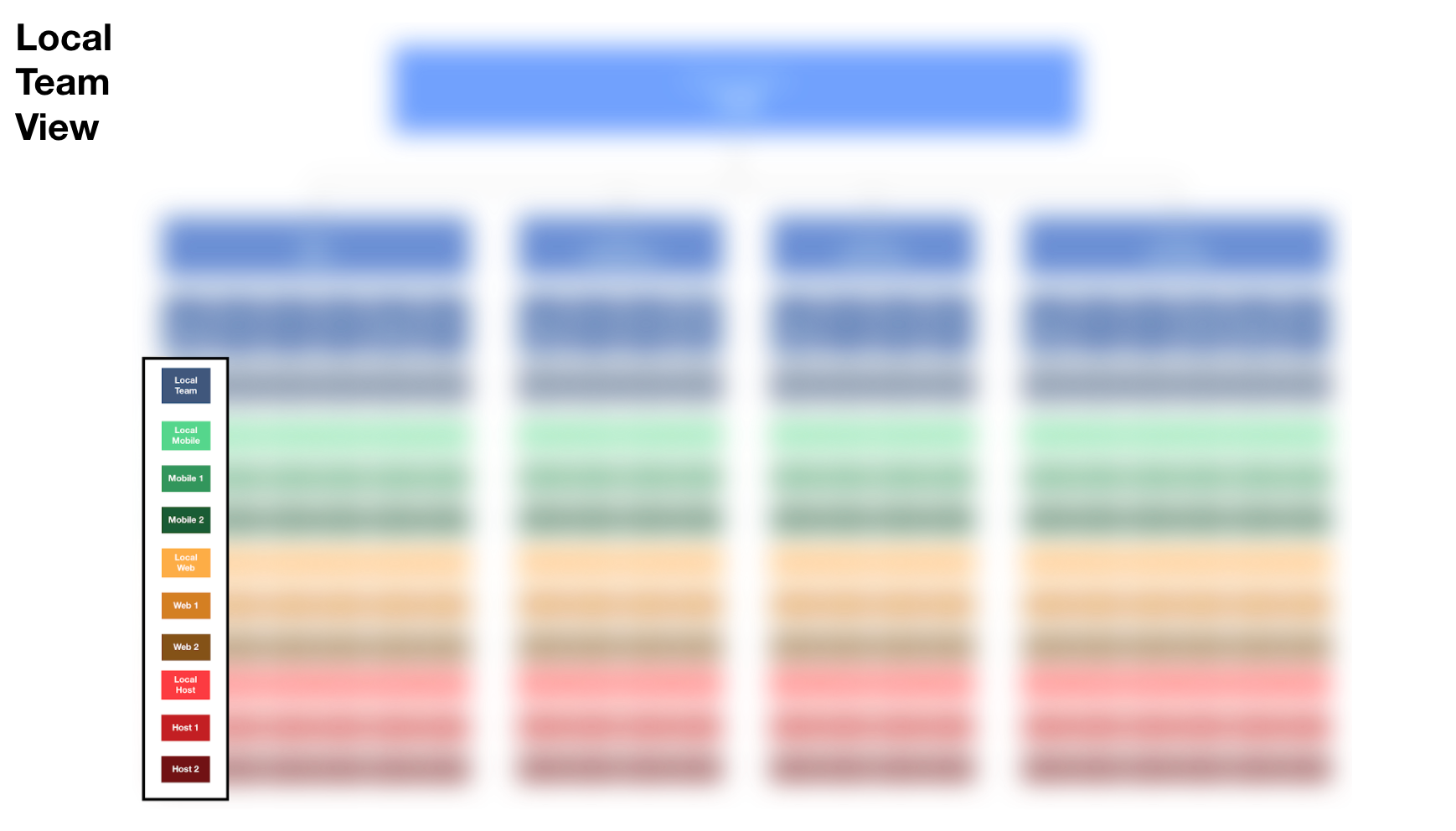
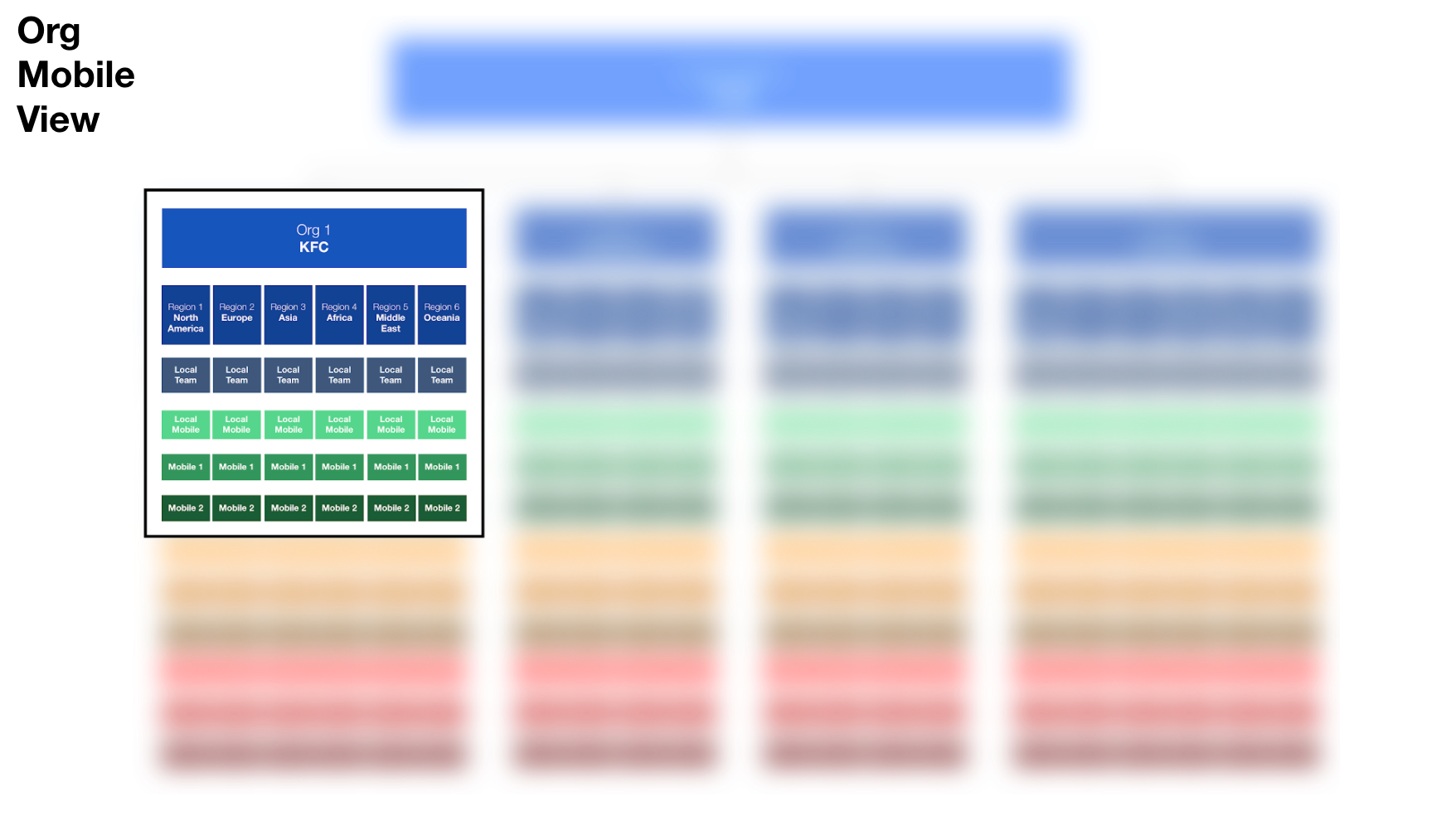
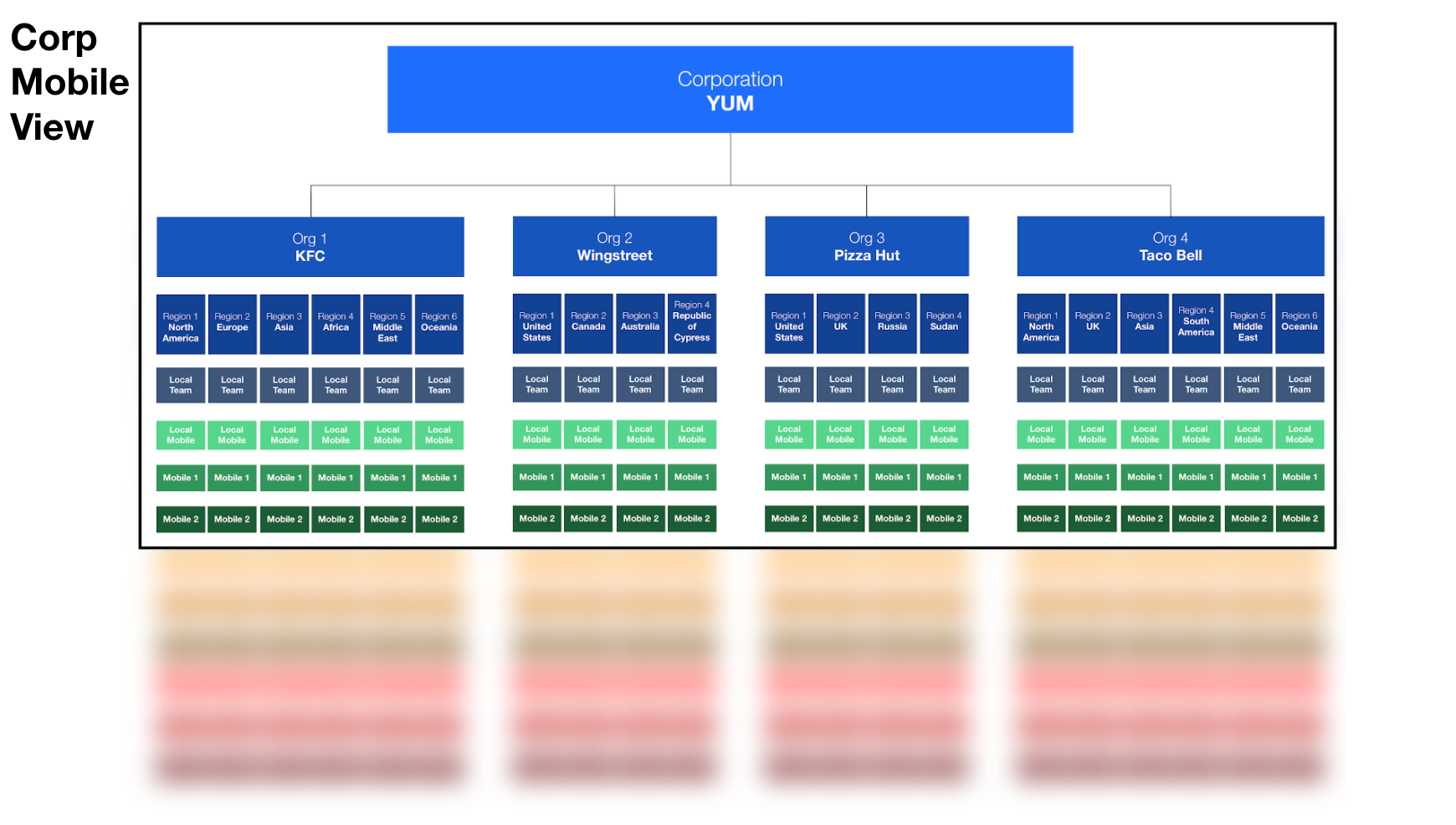
For example, if I am Yum Brands I need to be able to see my entire enterprise.


But then I need to be able to slice those views and grant access to various business units, development teams, and organizations.

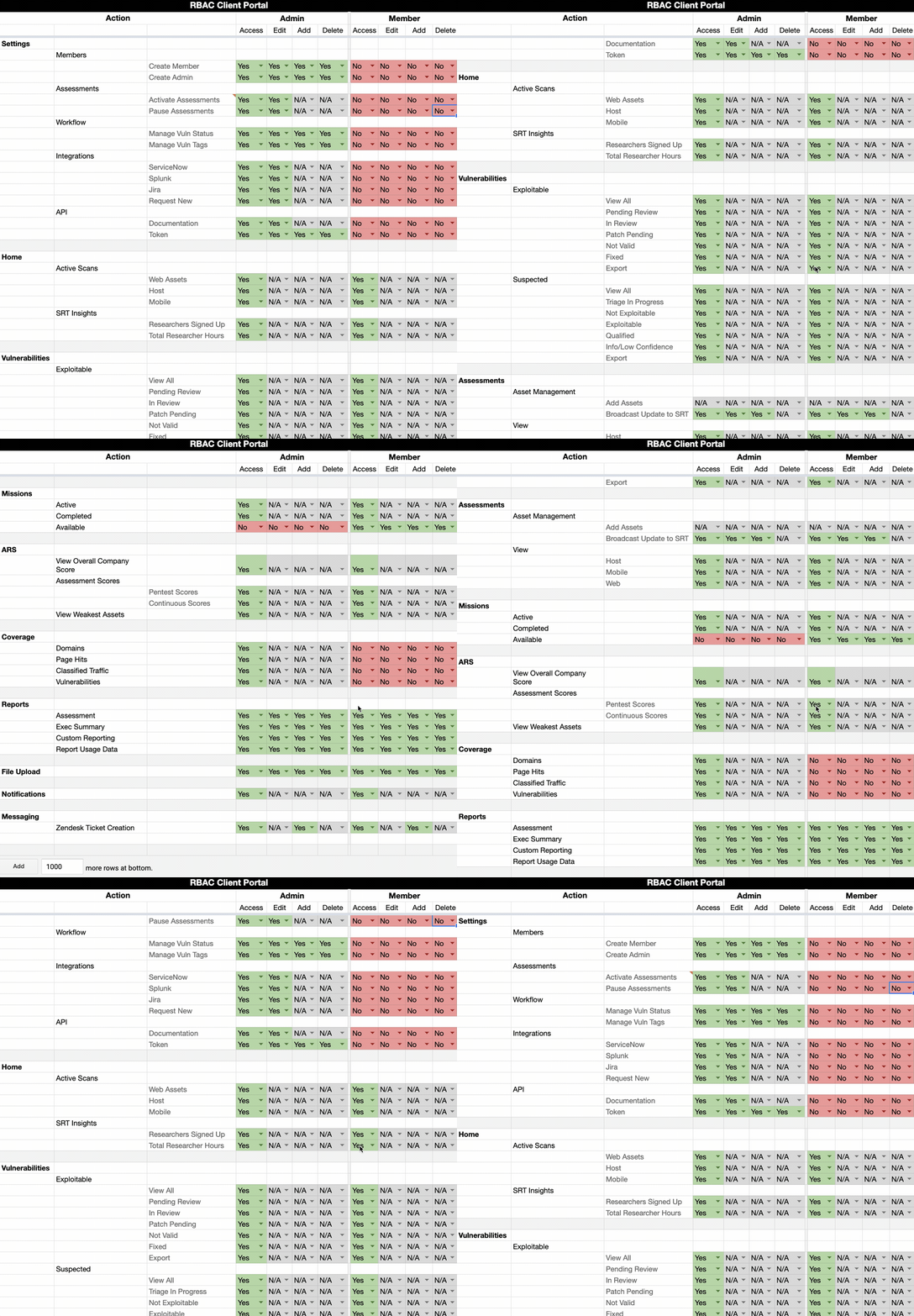
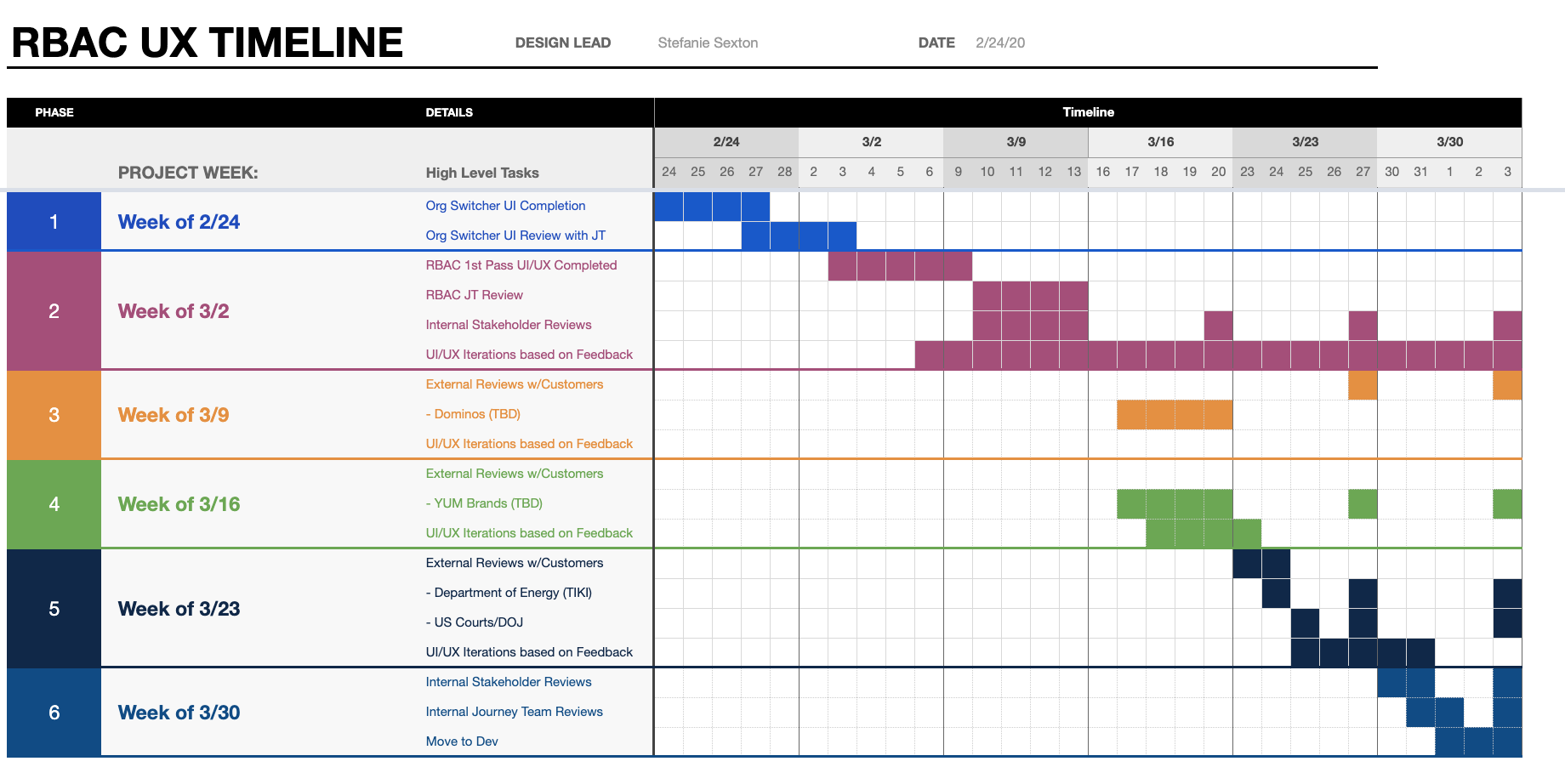
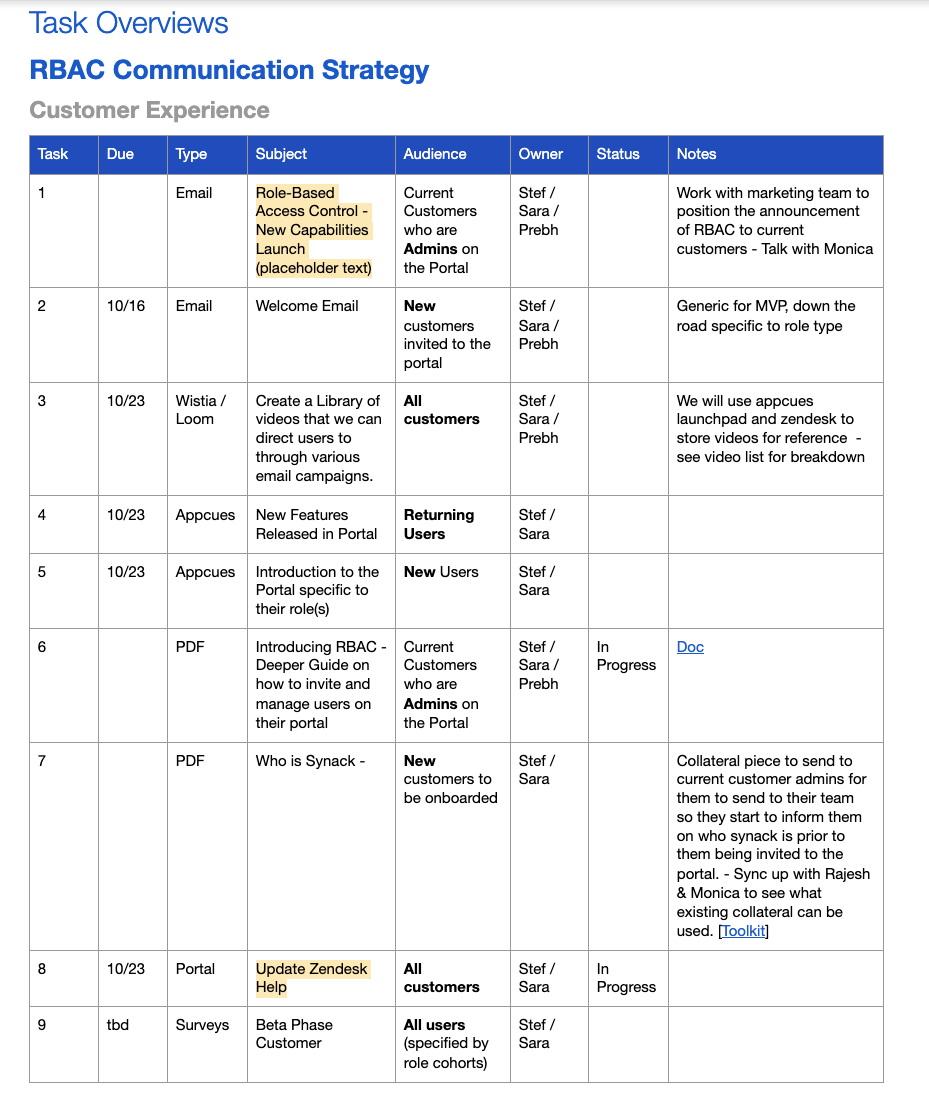
I worked with our engineering lead and product management lead as well as performed customer research to solve these issues. Below is what we established for our initial RBAC development:

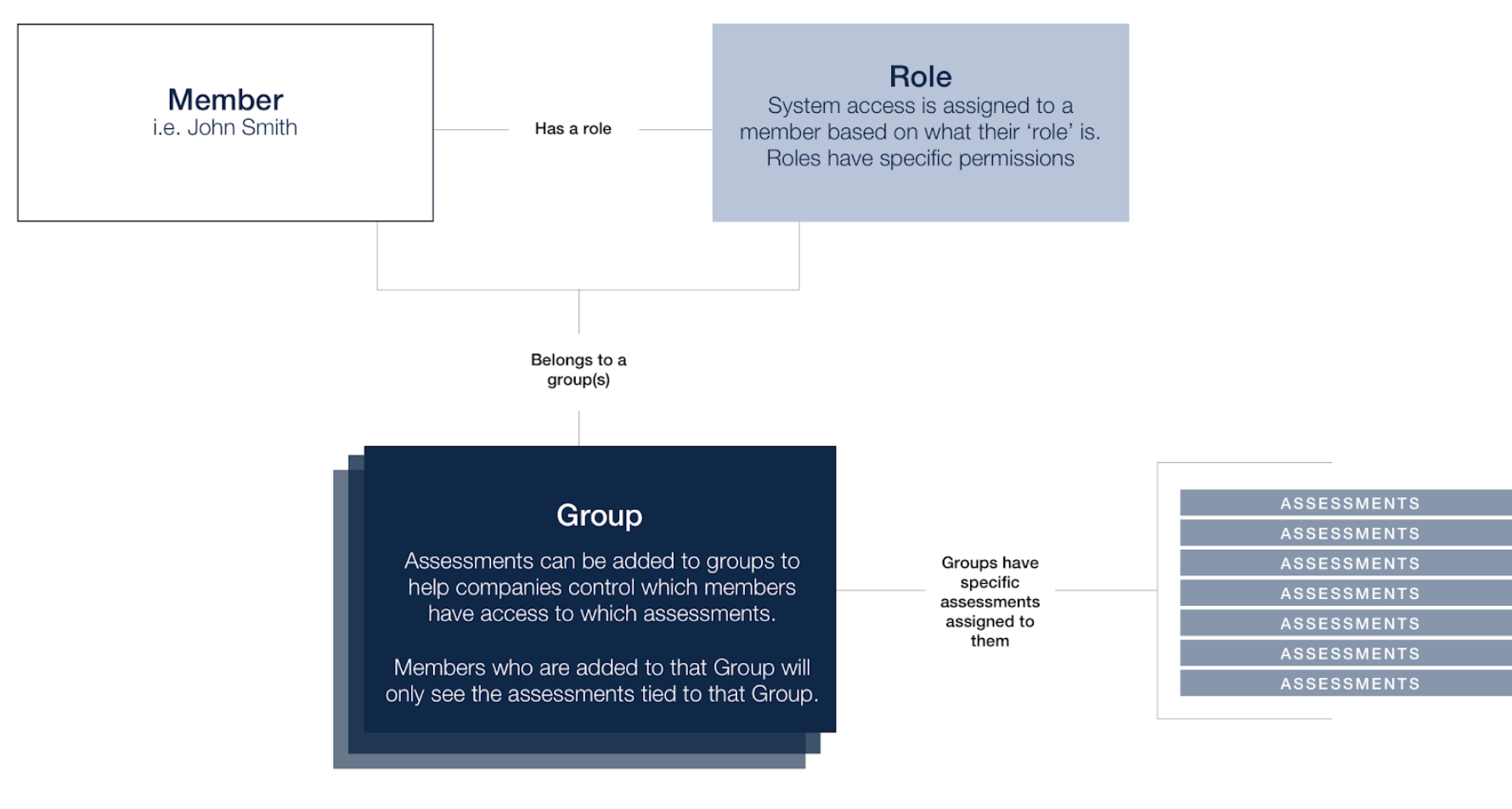
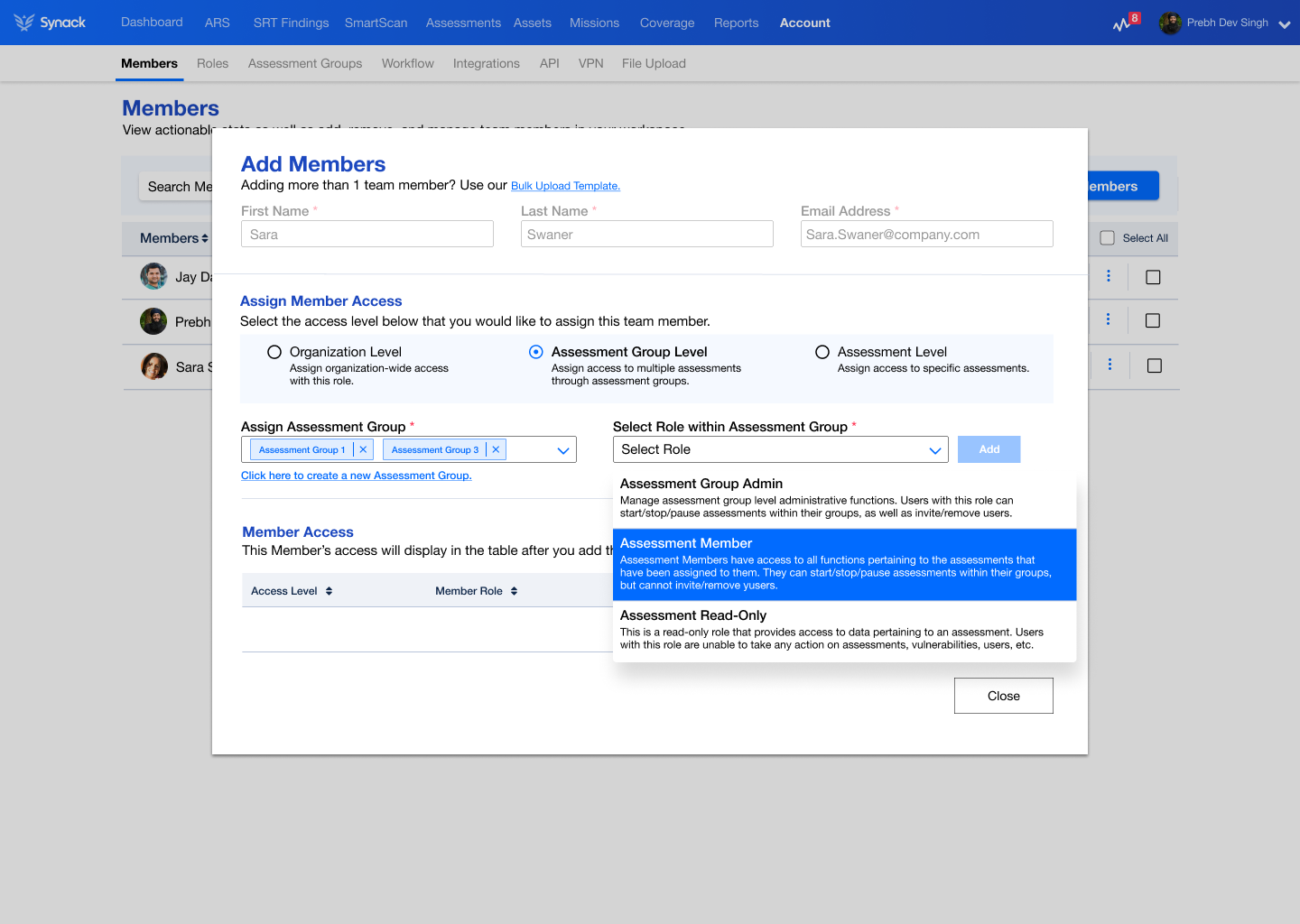
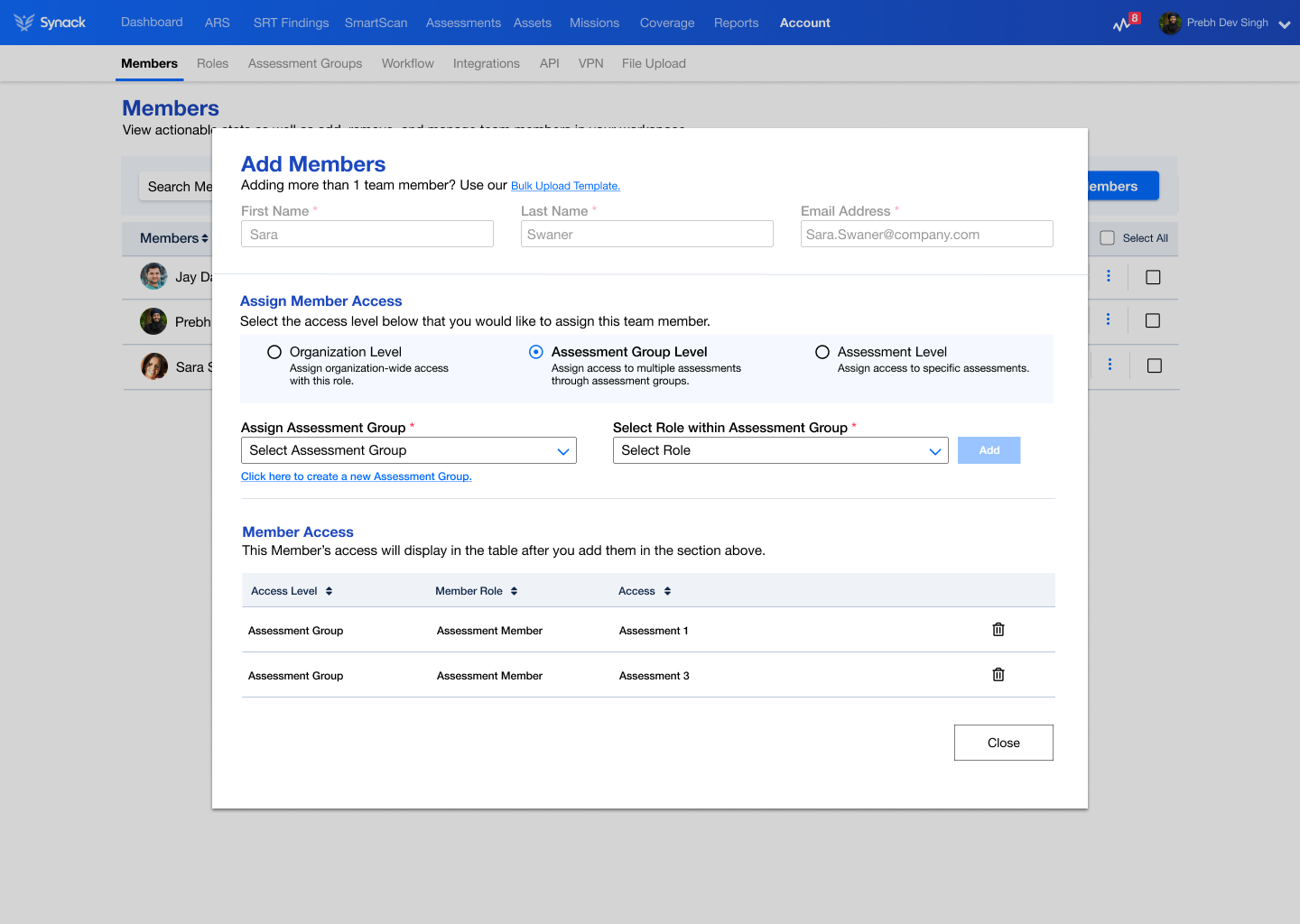
  • Members have a specific role within the group they are assigned
  • Members can be in more than one group and have different roles according to the groups they are in.
  • For example, John Smith can have the role of Admin in Group A and have a role of Read-Only in Group B.

We created three new components to our RBAC system.

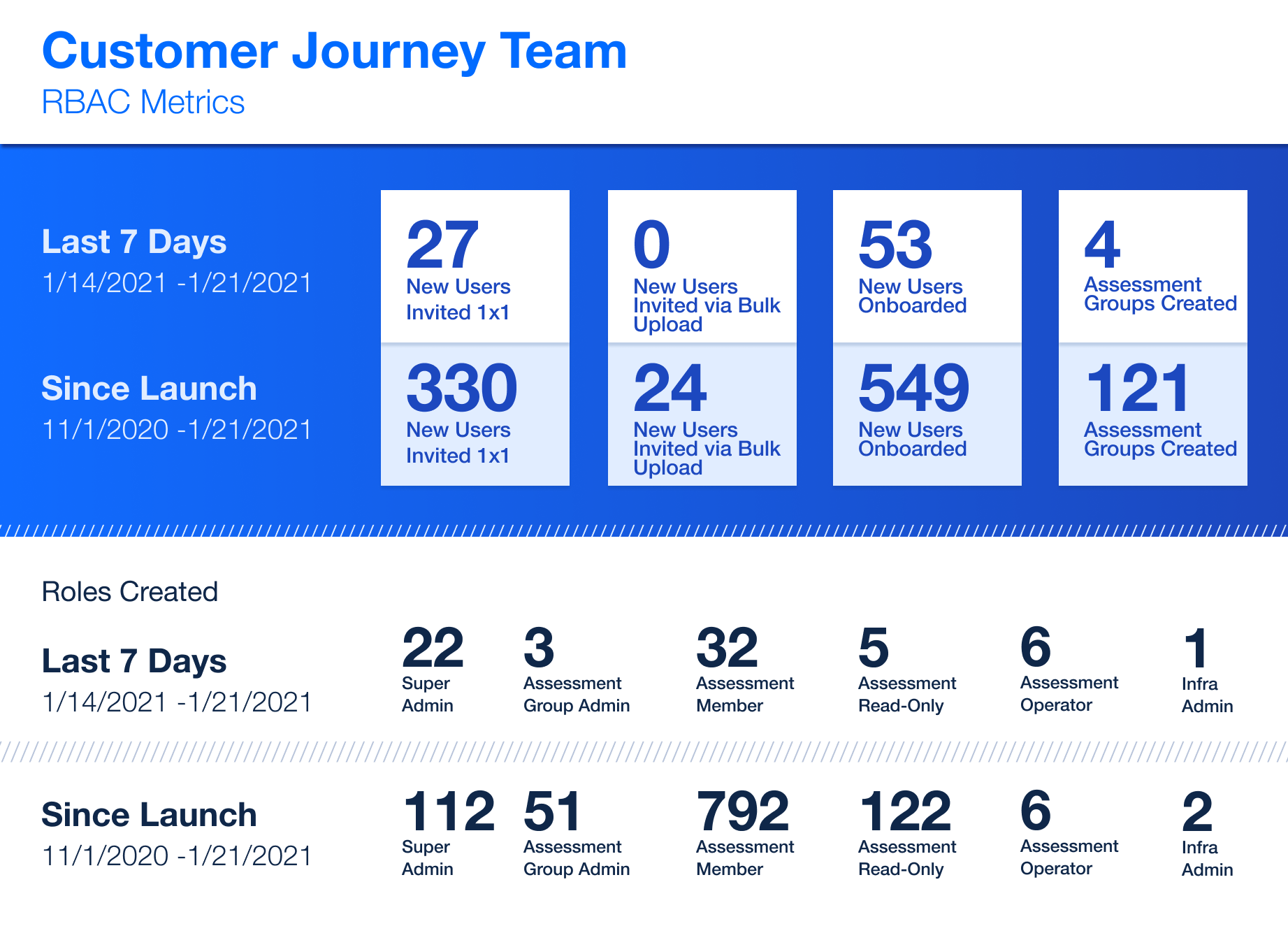
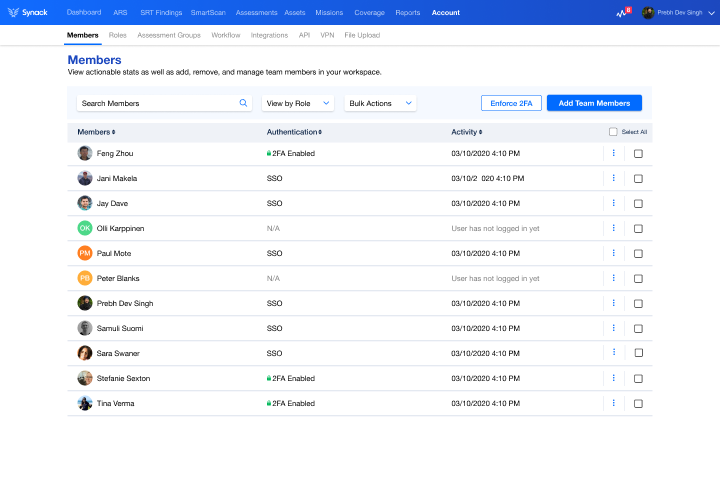
  1. We redesigned our Members page to make it more user friendly by adding search, filters, and the ability to add Members in bulk or 1×1. We also enabled the Admin to select which role they wanted their users to have along with what access level.
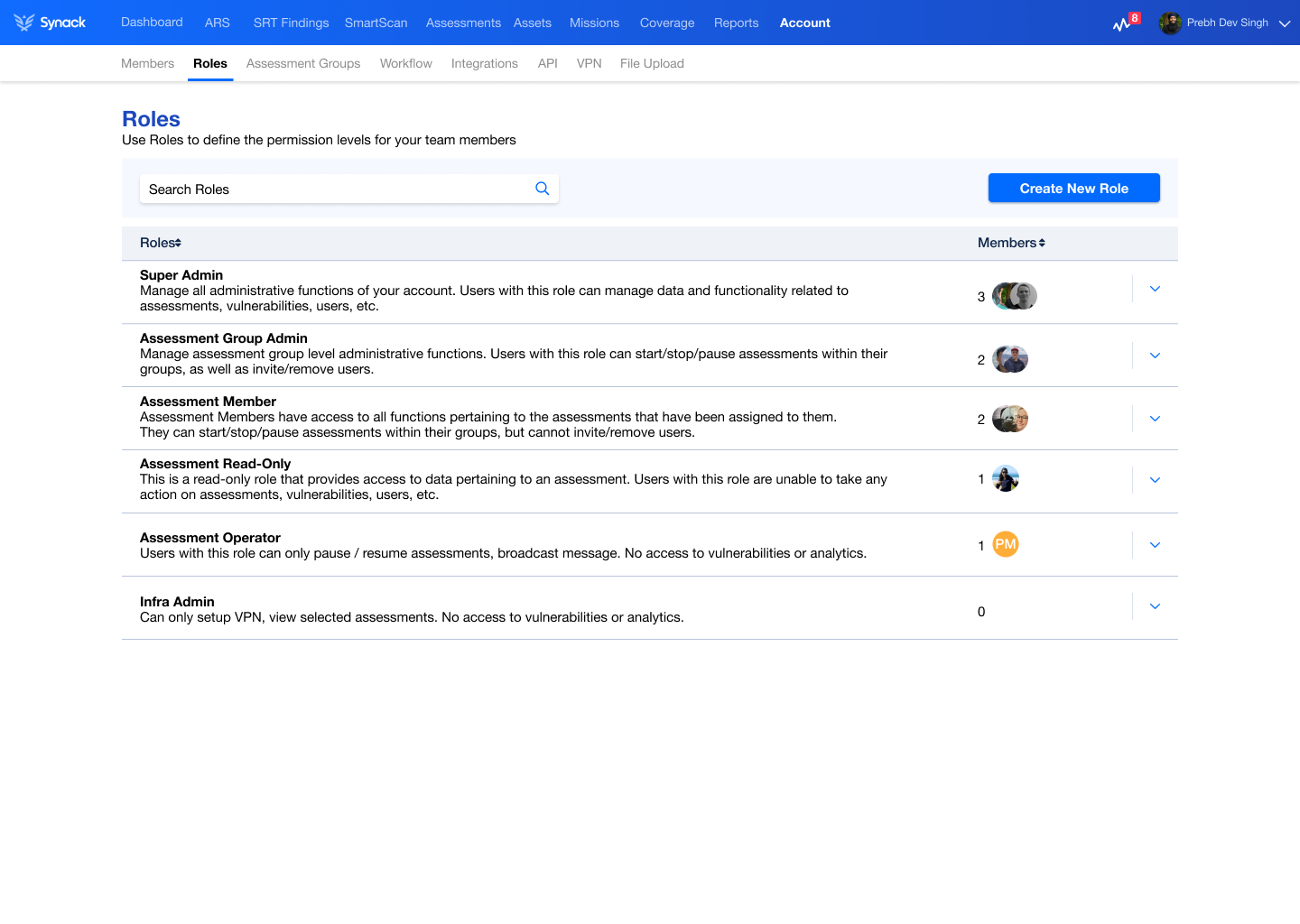
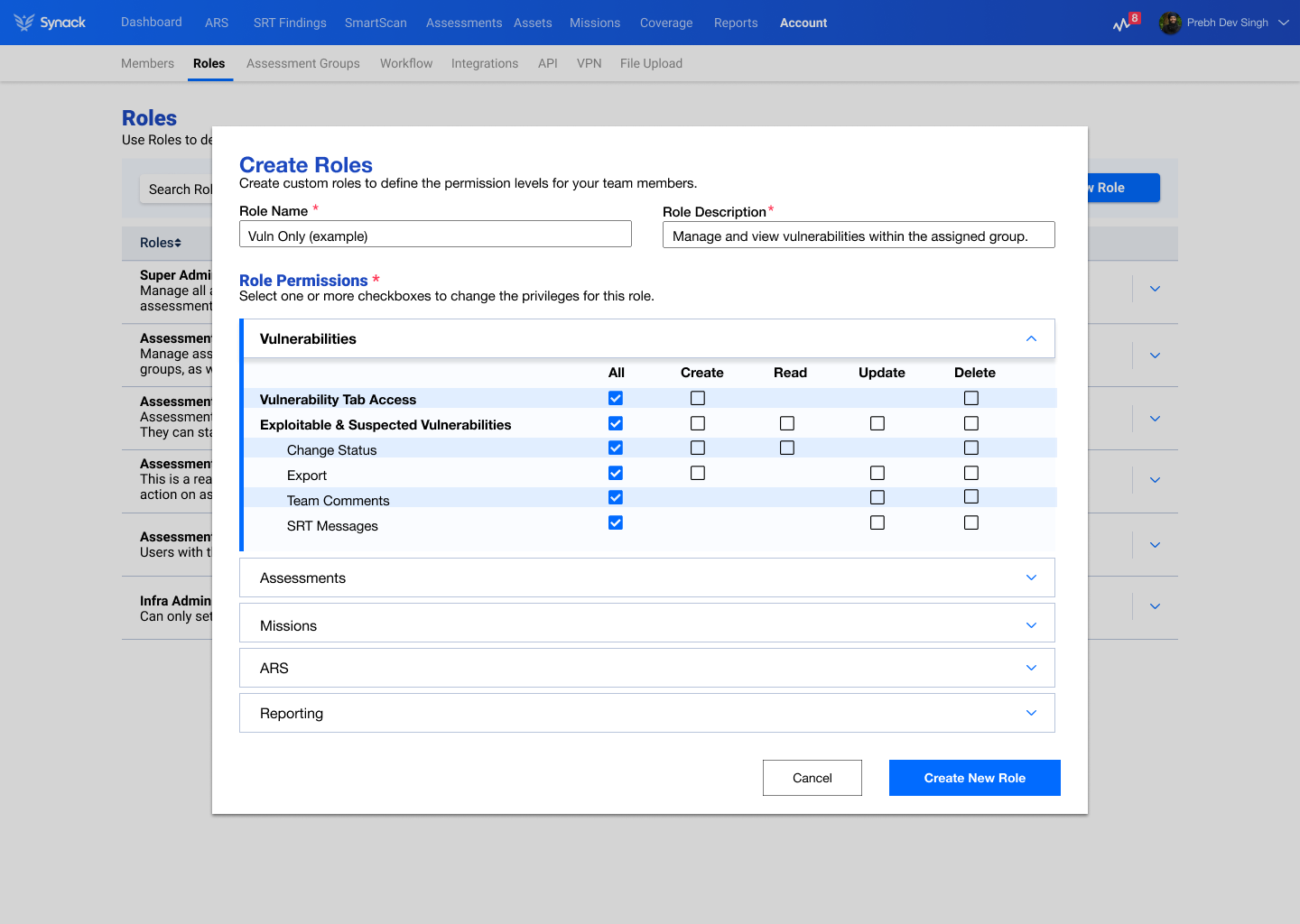
  2. We also created a new Roles page, where users could use pre-defined roles or create their own custom ones to fit their exact needs.
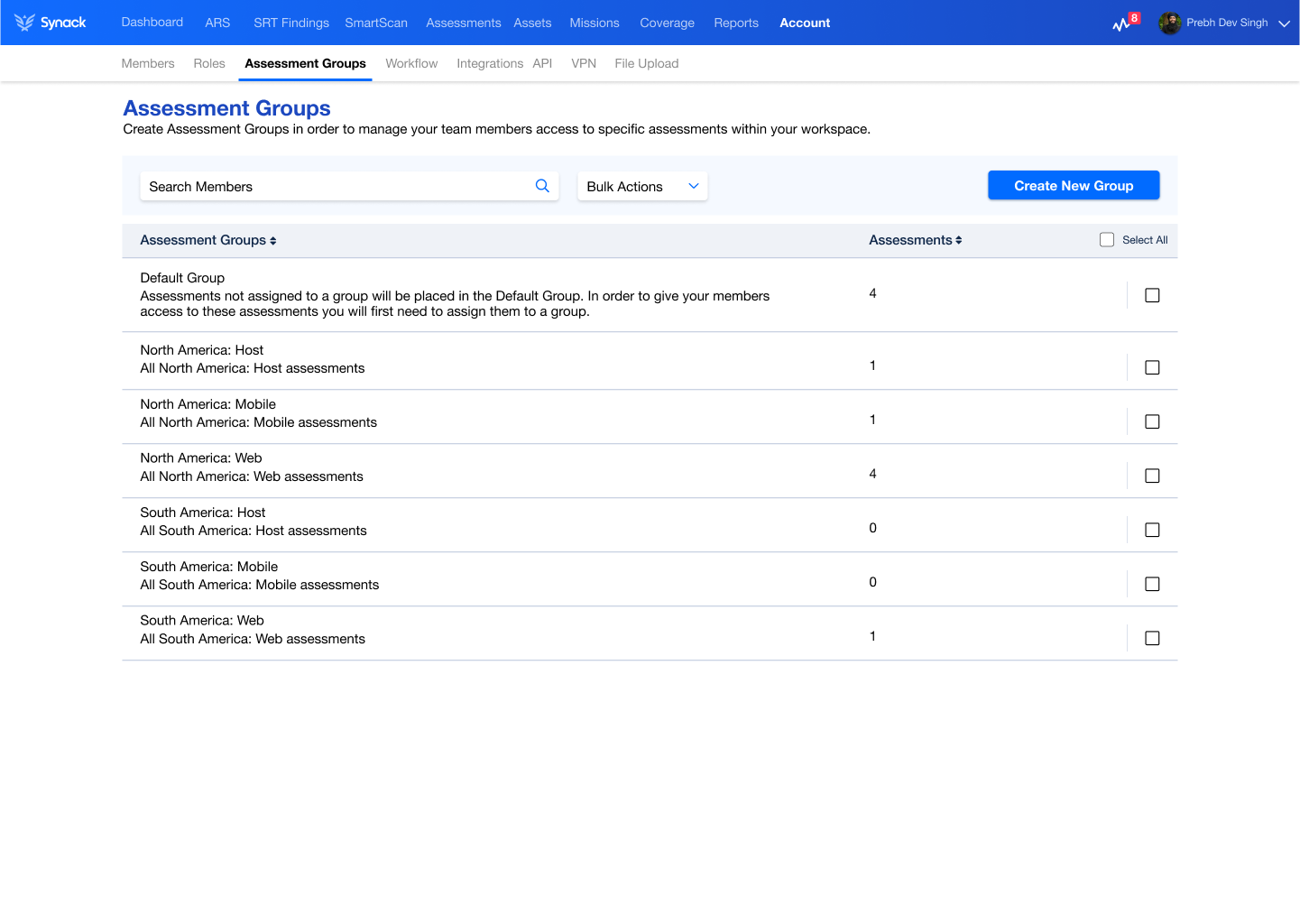
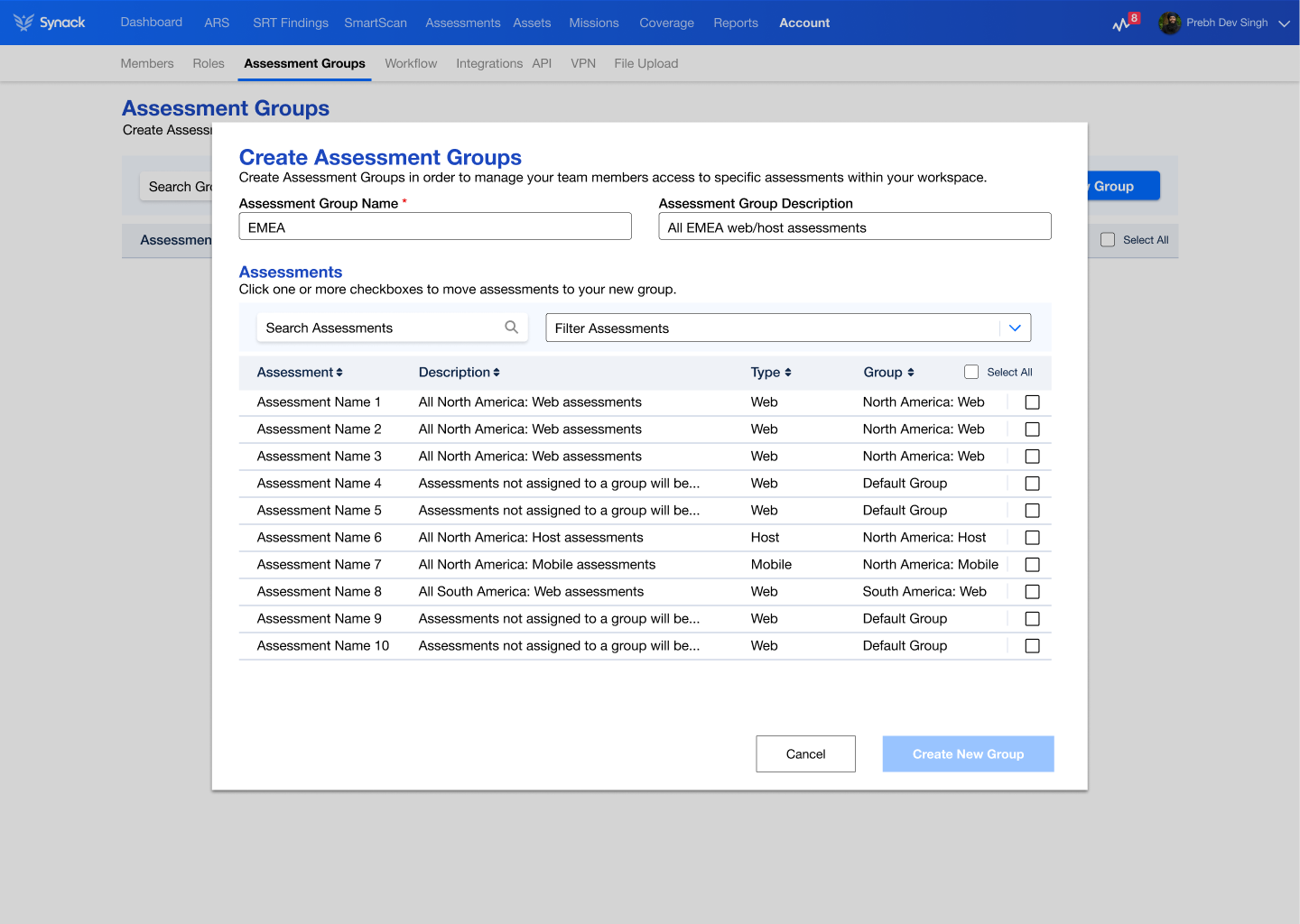
  3. We created Assessment Groups – so that our customers could parse out their assets into groups and then assign user access by each group individually instead of globally across the organization.


Throughout the entire process, we involved our customers through initial customer discovery sessions where we observed how they used our platform in it’s current state to iterating on new RBAC designs and getting feedback every step of the journey.